ϟ
Plugged in. Still losing charge?
Charging, holding steady, or draining while plugged in? Sustained warnings help you know when to check your charger or cable.
Plugged in but losing charge? Running warm? Heading out soon? Understand what your Mac is telling you, with clear readings and practical guidance in your menu bar.
Free · No separate app account or ads
Charge Beacon is free for Mac. Search for Charge Beacon in the Mac App Store, or open the listing directly.
Open the Mac App Store listing ↗Availability can vary by country. The iPhone and iPad companion is still in review.
 Scan for the Mac app
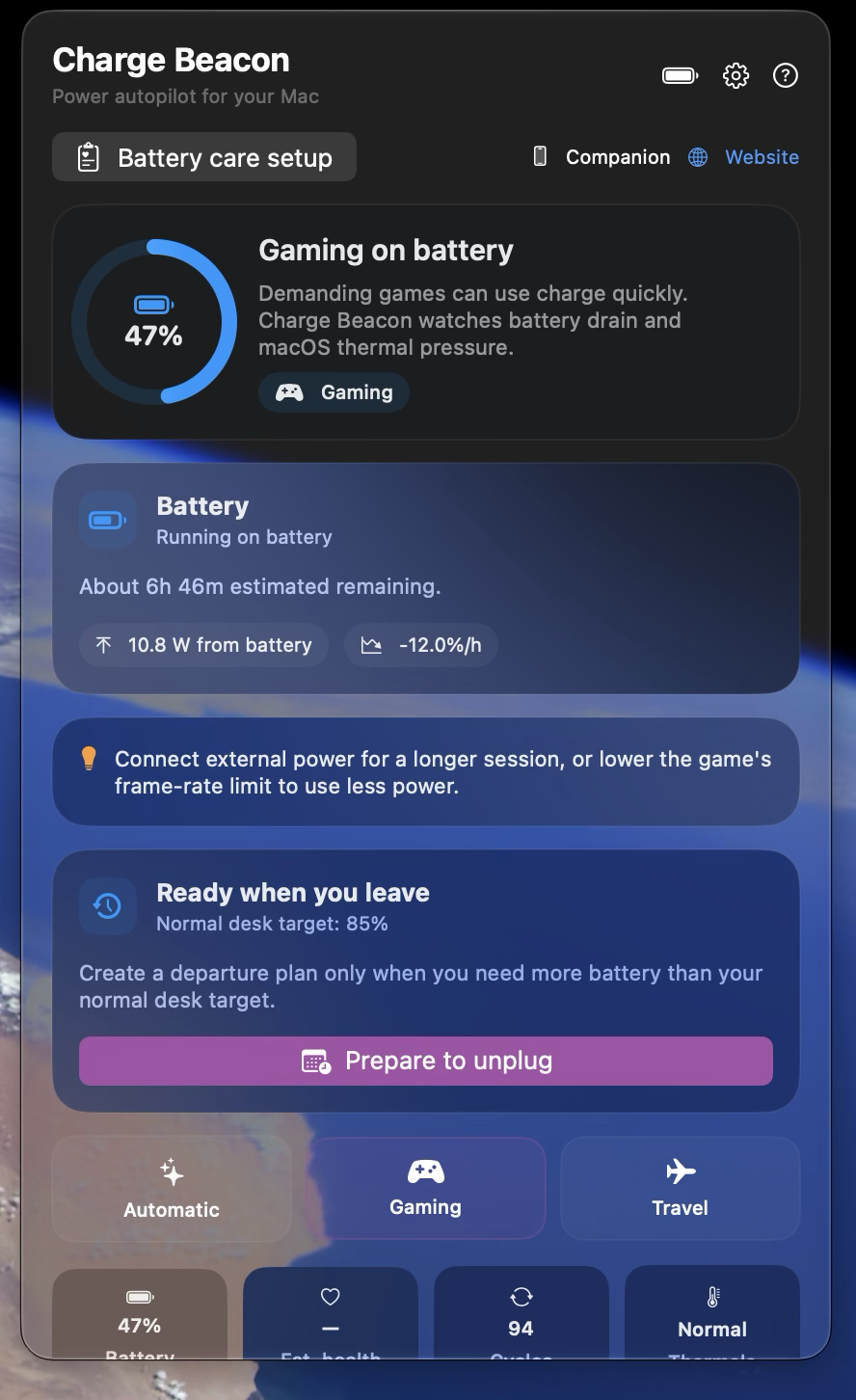
 A short look at the Mac app—clear status, useful guidance and departure readiness.
Charging, holding steady, or draining while plugged in? Sustained warnings help you know when to check your charger or cable.
A long gaming session or demanding work? Keep an eye on power and macOS thermal pressure, with practical guidance when conditions change. Fan and game settings stay in your hands.
Choose a departure target and check readiness. Charging estimates are guidance; macOS remains in control.
Explore three everyday moments. Each pairs a question with what Charge Beacon can show you.
See whether the battery is charging, holding or supplying power. Sustained warnings help you know when to check the charger or cable.
Choose a desk target that suits your day. Notice sustained power or thermal warnings. Charge fully when you need to head out. Charge Beacon helps you understand the signals and build a routine around them.
Avoiding excessive heat and prolonged high charge may help preserve battery capacity. Charge Beacon provides guidance; macOS controls charging. Longer battery or Mac lifespan is not guaranteed.
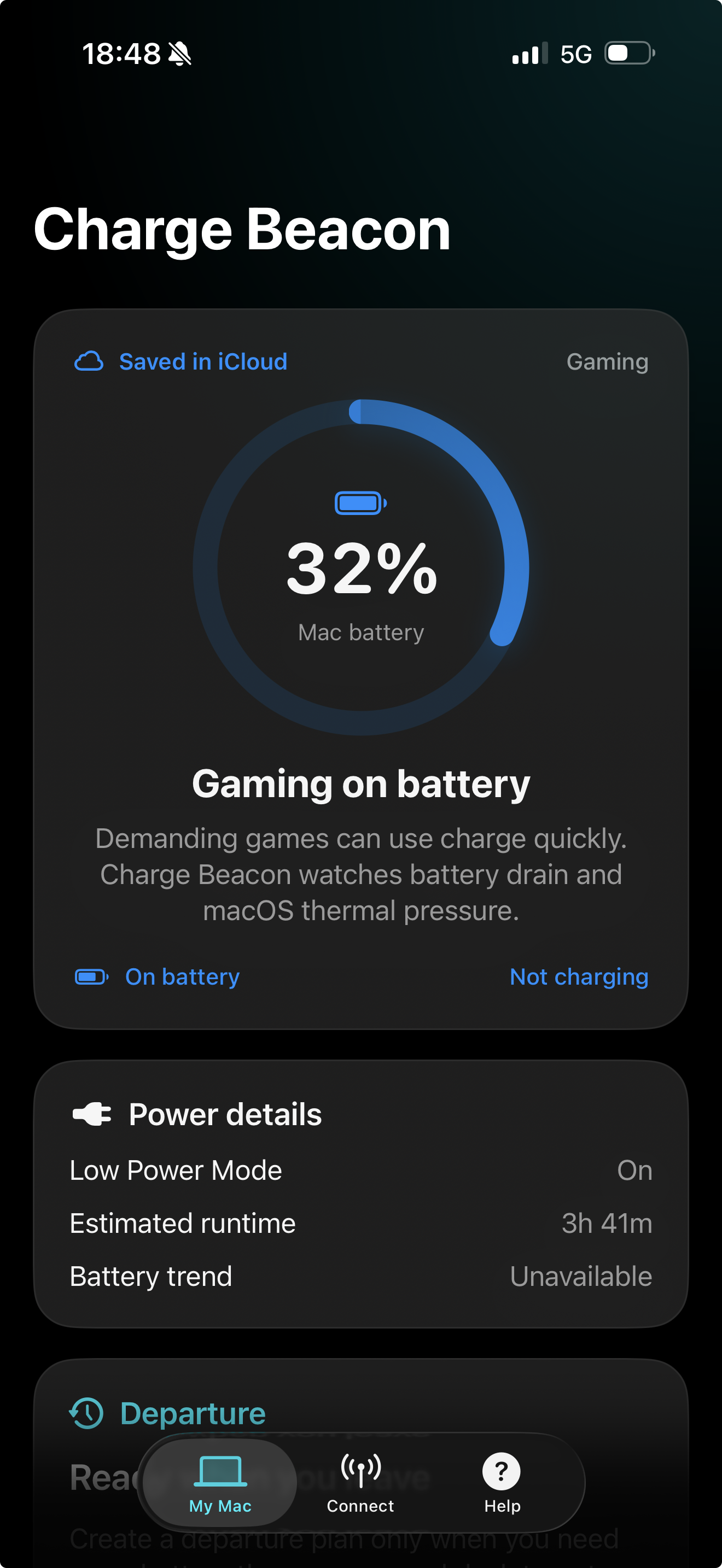
View your Mac’s battery, power, thermal pressure and departure readiness on iPhone or iPad. Pair nearby or use optional private iCloud sharing across networks with the same iCloud account. Your Mac must be awake and online for fresh updates.
Connection steps and FAQ ↗View status and change selected Charge Beacon preferences when allowed on your Mac. Charging stays managed by macOS.
Confirm a matching code on both devices before sharing. Nearby pairing needs no account.
Last-updated times and out-of-date readings. No promise of live updates while your Mac sleeps.
Power, heat, memory and activity can tell a story. Charge Beacon brings your Mac’s measurements together and uses local AI to explain what they mean—in everyday language, right where you need it.
Ask a question, shape an idea or draft a friendly message in a separate Chat tab. On compatible devices, answers work offline once the local model is ready. No API key or separate AI subscription.
Tap Assess for a quick explanation of your Mac’s measured power, heat and resources. See the readings behind the answer and when they were taken. Missing values stay clearly marked.
Generate an assessment on your Mac and read the saved explanation on iPhone or iPad. Each compatible device also has its own local Chat tab, plus a simple view of its own battery status.
Coming in a future update; not included in version 1.0. Local AI needs a compatible device with Apple Intelligence enabled and its model ready. Initial downloads and updates may need internet. Fetching fresh Mac status through iCloud also needs internet. Saved explanations show when they were created; AI can make mistakes.
A short summary when you open the panel. More detail when you want it. Generated on your compatible Mac, with the time of the assessment clearly shown.
Local answers work offline once the model is ready. Optional iCloud sharing needs internet. These features are planned for the next update and are not part of version 1.0.
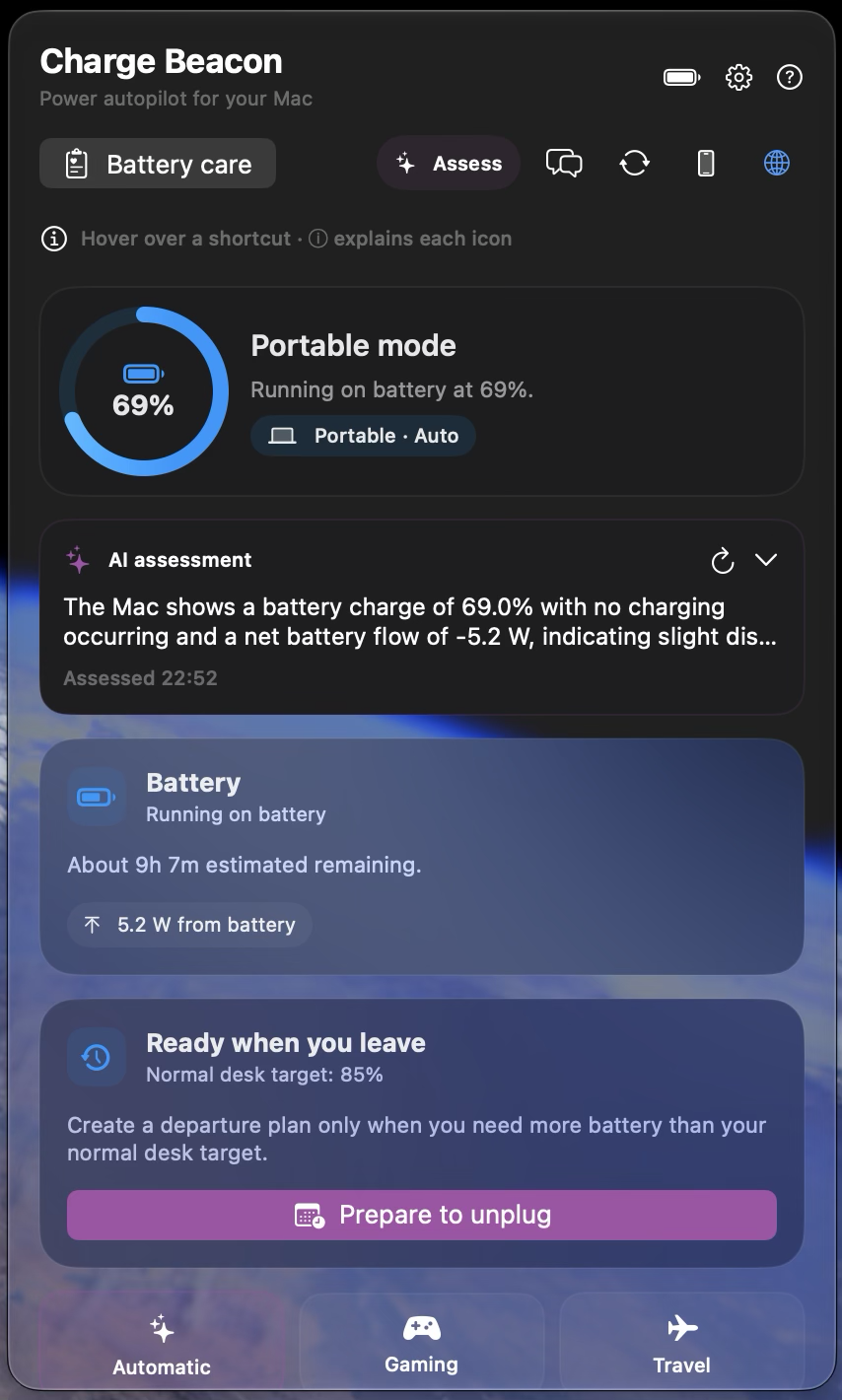
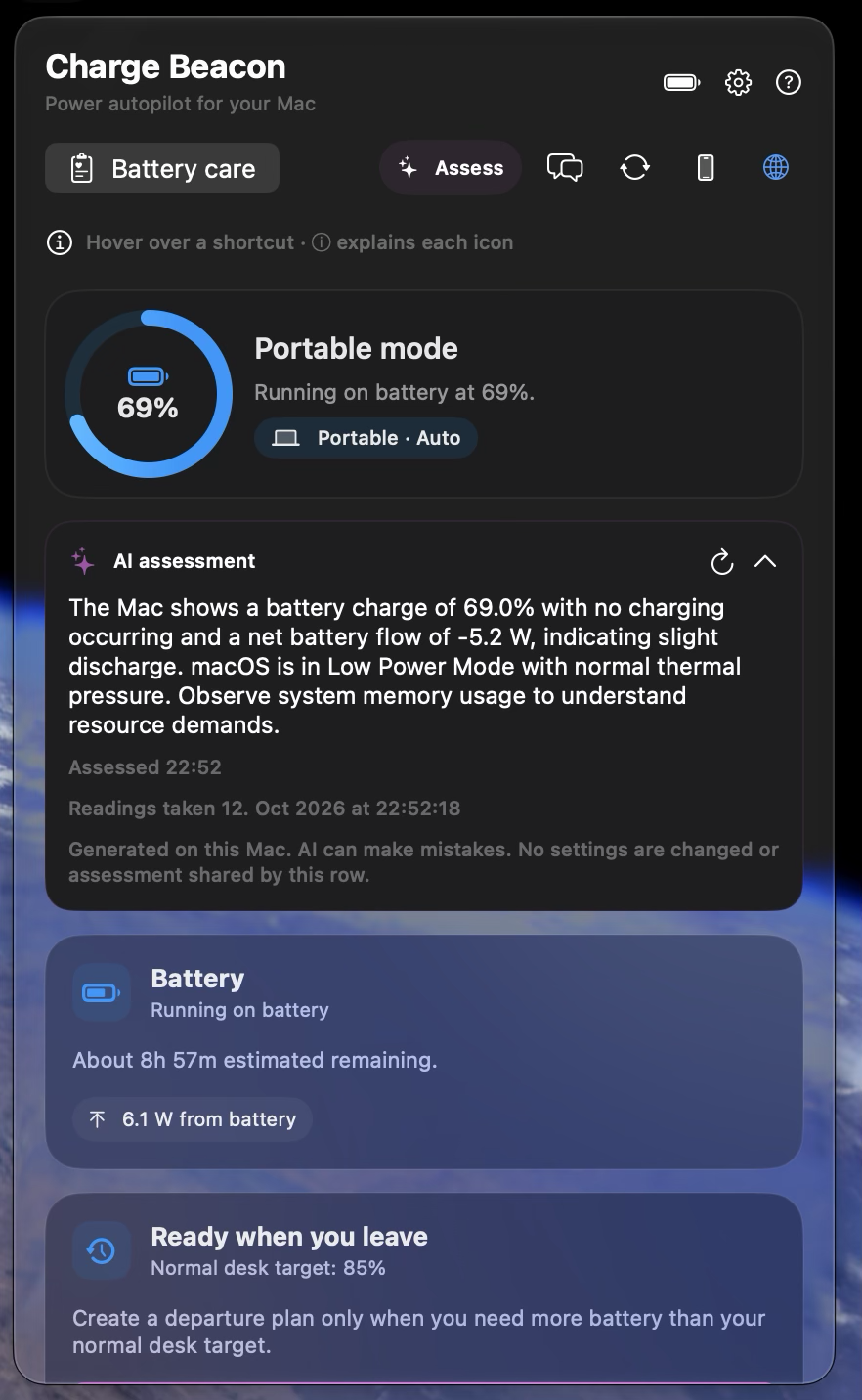
Your Mac supplies the measurements. Local AI helps explain them. Open the details to see what supports the answer.
Your Mac is on battery and macOS reports normal thermal pressure. If you’re heading out, check your departure target before you unplug.
This example uses battery level, power source and macOS thermal state. Real assessments show their measurement time and available readings. AI can make mistakes; a snapshot cannot predict future conditions.
Useful information without promises your battery can’t keep.
Better charging habits and avoiding excessive heat may help preserve capacity. Results depend on age, temperature and use; no lifespan improvement is guaranteed.
No. You configure supported Apple charging options in macOS. Charge Beacon records your preferred target for guidance.
History stays on your Mac. Optional nearby sharing sends status to your approved companion. Optional remote sharing saves selected readings and weekly totals in your private iCloud database; see our privacy page for details.
Charge Beacon brings supported Mac measurements into the explanation automatically, with timestamps and the readings behind the answer. You do not need to copy numbers into a chat or describe your Mac’s current status yourself. Its separate general Chat tab is an extra convenience; the main value is understanding your Mac.
Apple’s on-device language model, part of Apple Intelligence. Apple manages the model and its updates. Charge Beacon does not offer a choice of ChatGPT, Claude or other cloud models, and does not claim an exact model version or size. See the local AI FAQ.
Yes, for local answers once Apple’s model is downloaded and ready. Initial setup and model updates may need internet. Viewing fresh Mac status through iCloud needs internet too. These AI features are planned for a future update and are not included in version 1.0.
Yes. Charge Beacon for Mac is free on the Mac App Store. Search for “Charge Beacon” in the Mac App Store. Availability varies by country. The iPhone and iPad companion is still in review.